How we make this list: we compare pricing pages, product documentation and public user reviews. Ratings come from G2, Capterra or Trustpilot, with the date we checked them.
Key takeaways
- A cleaning schedule app works when it tells you what to do today and nothing more. The best apps show a short daily list and hide the rest until it is due.
- Tody is the strongest all-round pick for most households, with a free core plan for one person and a Premium plan at $9.99 per year.
- Gamified apps like Sweepy and Tidied suit households that need motivation, while OurHome and Spongi suit shared homes where chores must be split fairly.
- Todoist is the right choice if you want cleaning tasks inside the same list you already use for work and errands, rather than a separate cleaning app.
Quick comparison
| Tool | Best for | Starting price | Free plan |
|---|
 Tody Tody | The best all-round cleaning schedule for most households | $9.99 per year | Yes (free core plan for one person, no ads) |
 Sweepy Sweepy | Gamified cleaning for families with kids | Free | Yes |
 OurHome OurHome | Families who want chores, a calendar and a grocery list in one app | Free | Yes |
 Home Routines Home Routines | Gentle daily routines on iPhone, including users with ADHD | Free | Yes |
 Tidied Tidied | Room freshness scores, points and streaks in the browser | $14.99 per year | Yes (free forever for one person, up to 3 rooms) |
 Todoist Todoist | Cleaning tasks inside a task list you already use daily | Free | Yes |
 Clean My House Clean My House | Simple daily cleaning reminders on Android | Free | Yes (free with in-app purchases) |
 Spongi Spongi | Fair chore splits for couples and shared homes | Free | Yes (free for a household of two) |
Is your product missing or out of date?
We review this list regularly. Vendors can request a listing, send updated pricing or ask about featured placement.
The best cleaning schedule app
#1
Tody
Best for: The best all-round cleaning schedule for most households
Visit todyapp.com
Starting price$9.99 per year
Free planYes (free core plan for one person, no ads)
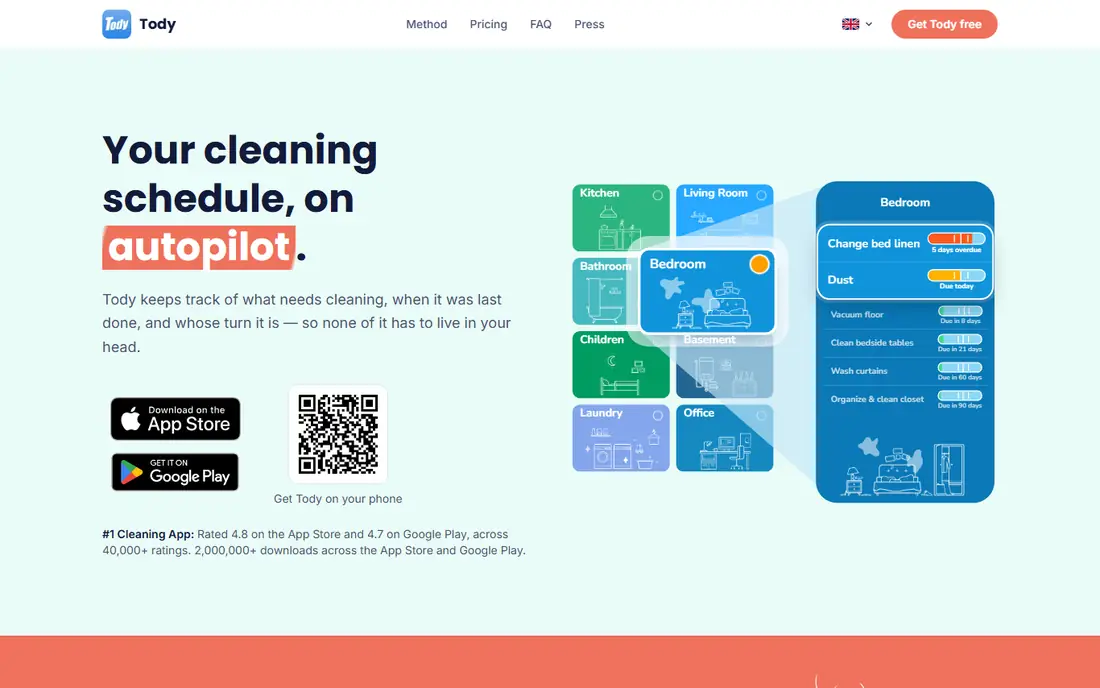
Tody turns your home into a list of tasks with a visual indicator of how dirty each one has become. When you open the app, the dirtiest jobs sit at the top, so you never have to decide what to clean first. Tasks repeat on your own schedule, from daily wipe-downs to quarterly jobs like cleaning the oven, and you can assign tasks to household members.
The free core plan covers one person with no ads, which is enough for a single-person household. Premium costs $9.99 per year, and Premium Plus starts at $25 per year for a duo, $40 for a family and $80 for a team. Tody has more than 2,000,000 downloads and strong store ratings of 4.8 on the App Store and 4.7 on Google Play, which suggests most users stick with it after the first week.
What we like- Clear visual dirtiness indicators
- Flexible scheduling per task
- Free core plan is genuinely usable
Watch out for- Premium tiers are priced per household size, so larger homes pay more
- No web version for desktop planning
Starting priceFree
Free planYes
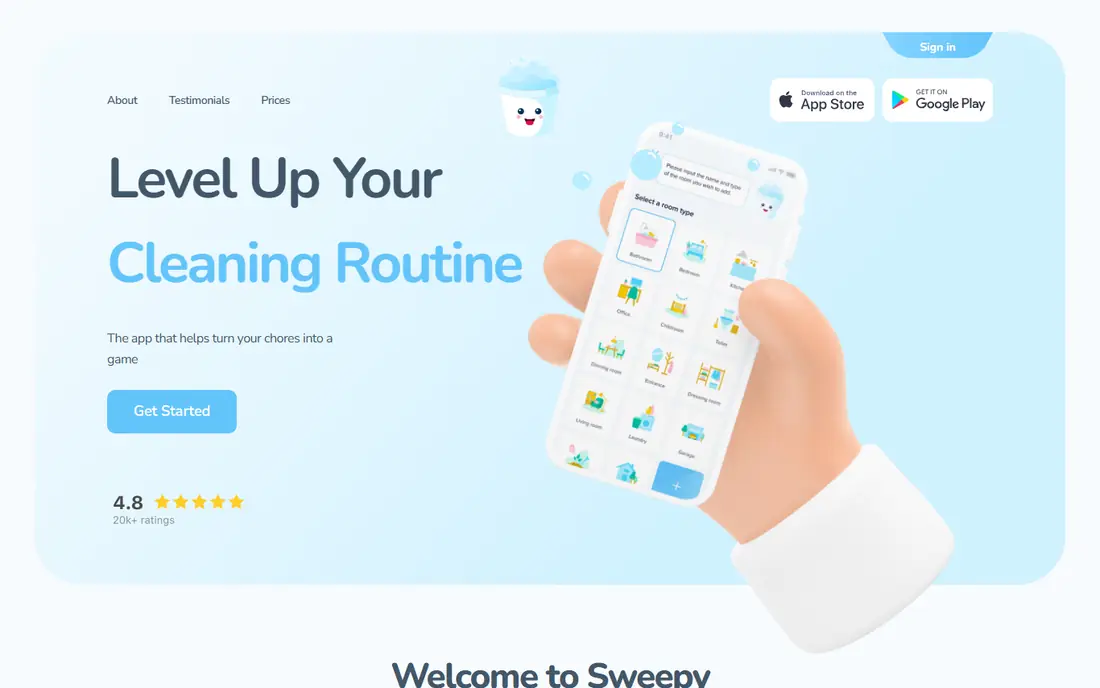
Sweepy treats cleaning as a game. Every task carries up to 3 points, with easy jobs like dusting worth 1 point and harder jobs like mopping worth 3. Household members share the workload and compete on a family leaderboard, and parents can review and approve children's tasks before awarding points. The app claims more than 1,000,000 households use it.
The smart schedule is the feature that matters most. Instead of showing every overdue task at once, Sweepy builds a daily list that fits the time you say you have. That keeps a bad day from turning into a wall of red overdue items. The app is free to install with in-app purchases for premium features, so start free and upgrade only if the family actually uses the leaderboard.
What we like- Points and leaderboards make chores feel like a game
- Smart schedule matches tasks to your free time
- Large task suggestion library
Watch out for- Premium pricing is not shown on the homepage, so check the app store listing before paying
- Game elements may not suit adults who just want a list
#3
OurHome
Best for: Families who want chores, a calendar and a grocery list in one app
Visit ourhomeapp.com
Starting priceFree
Free planYes
OurHome is a family organizer that happens to handle cleaning schedules well. Chores earn points, and points earn rewards that parents set, which gives kids a reason to check the app without being nagged. The shared calendar keeps everyone in sync, and the grocery list lets anyone add items and swipe them off at the store.
The strength here is breadth. A household that wants one app for chores, shopping and scheduling will get more from OurHome than from a cleaning-only app. The trade-off is polish: the design feels older than Tody or Sweepy. If your family already uses a shared calendar elsewhere, a dedicated cleaning app may serve you better.
What we like- Chores, calendar and grocery list in one place
- Points and rewards motivate kids
- Monthly calendar view built for phones
Watch out for- Interface looks dated next to newer apps
- Pricing for premium features is not shown on the homepage
Starting priceFree
Free planYes
Home Routines has been around since 2010 and takes a deliberately gentle approach. Tasks reset overnight, so a missed day does not pile up into guilt. You earn a gold star for each completed task, and a rotating zone schedule spreads small cleaning and decluttering jobs across the month so no single day feels heavy.
The app is free for iOS with a premium option, and user reviews frequently mention it as helpful for ADHD, autism and chronic illness, where a forgiving system beats a strict streak. A built-in timer helps you work in short bursts. The limits are real: there is no Android version and no family sharing, so it suits one person managing their own home rather than a shared household.
What we like- Forgiving design that resets each day without streak pressure
- Rotating zone schedule spreads work across the month
- Gold stars for completed tasks
Watch out for- IPhone only
- No household sharing or leaderboard features
#5
Tidied
Best for: Room freshness scores, points and streaks in the browser
Visit tidied.app
Starting price$14.99 per year
Free planYes (free forever for one person, up to 3 rooms)
Tidied is a browser-based app that scores every room on freshness. The score drops as days pass since the room was last cleaned, so the daily list reflects what actually needs attention rather than a fixed rota. Completed tasks earn points, bigger jobs pay more, and daily streaks raise a points multiplier at 14 and 30 days.
The free plan is free forever for one person with up to 3 rooms, unlimited tasks and all 30 achievement badges. Premium costs $14.99 per year with a 30-day trial and adds unlimited rooms, up to 6 household members, the household leaderboard and a monthly boss challenge called the Dustagorgon. For a small home or apartment, the free plan may be all you need.
What we like- Freshness score shows what genuinely needs doing
- 30-day premium trial
- All 30 achievement badges are free on every plan
Watch out for- Free plan limited to 3 rooms
- Household leaderboard is a premium feature
#6Todoist
Best for: Cleaning tasks inside a task list you already use daily4.5/5 on
G2 (832 reviews, checked Oct 2026)
Visit todoist.com
Starting priceFree
Free planYes
Todoist is not a cleaning app, and that is the point for some users. If you already open Todoist every morning for work and errands, adding a cleaning project with recurring tasks keeps everything in one place. Natural language entry lets you type "vacuum living room every Saturday" and have the recurrence set automatically, and calendar view shows the week ahead.
The free plan covers personal use on every device, and Todoist has been building its to-do list for nearly two decades with more than 50 million users. The downside is that cleaning gets no special treatment: no room freshness scores, no points, no household leaderboard. Use Todoist for cleaning if you value one list above all else, and pick a dedicated app if motivation is your main problem.
What we like- Recurring tasks and natural language dates
- Works on phone, tablet, watch, desktop and web
- 50-plus templates
Watch out for- No cleaning-specific features like dirtiness scores or room views
- Cleaning competes with work tasks in the same list
Starting priceFree
Free planYes (free with in-app purchases)
Clean My House is a straightforward chore planner from Woohoo Software, a small independent developer. You add chores, choose a room, set how often each repeats, and get a daily reminder naming exactly what is due. A built-in timer tracks how long tasks take, and a home screen widget shows today's list without opening the app.
The free version has no task limit, and premium adds a master list of nearly 300 ready-made chores across 26 rooms, plan-ahead views, backup to Google Drive, bulk actions and an ad-free experience, with in-app purchases from $1.99 to $20.99. Note that the app is Android only, and the official site is the developer's homepage rather than a dedicated product site. It suits Android users who want reminders and a simple list without game features.
What we like- No limit on tasks
- Daily reminder names the chores due
- Built-in timer and home screen widget
- No ads in the paid version
Watch out for- Android only
- The developer homepage is a small indie site, so support is email-based
- Premium features are in-app purchases rather than a clear plan
#8
Spongi
Best for: Fair chore splits for couples and shared homes
Visit spongi.app
Starting priceFree
Free planYes (free for a household of two)
Spongi solves a different problem from most cleaning apps: fairness. Every chore earns points for effort, from 1 for a quick job to 3 for a big job, and the household works toward one shared weekly goal instead of competing on a leaderboard. Reach 80 percent of the goal and the streak grows. A Monday recap shows how far the house got and who covered for whom.
The fair split feature is the standout. With Premium, a household can agree on a split like 60/40 when one person works longer hours, and the app counts thinking work such as planning and remembering, not just visible chores. The free plan covers a household of two with rooms, repeating chores, reminders, points and the weekly goal, and one premium subscription covers everyone invited. The catch is platform: Spongi is iPhone only for now, so mixed-device households cannot all use it.
What we like- Fair split tracking counts planning work, not just visible chores
- One premium subscription covers the whole household
- Weekly recap shows who did what
Watch out for- IPhone only, no Android version yet
- Premium price is not shown on the homepage
How we chose
We compared vendor homepages, app store listings and cleaning guides in October 2026, and opened each homepage to confirm it loads and belongs to the app named. One planned pick, Spotless, was dropped because no verified official homepage could be found for it, and Spongi took its place. We weighted daily-list clarity, scheduling flexibility, household sharing, motivation features and free plan usefulness, since a cleaning app only works if you open it every day.
What to look for in a cleaning schedule app
Start with the size of your household. A single person needs a short daily list and a forgiving reset, which Tody, Home Routines and Tidied all provide. A couple or family needs sharing, assignments and some way to split work fairly, which points to Sweepy, OurHome or Spongi.
Then decide whether motivation or simplicity is your bottleneck. If you know what to clean but never start, points, streaks and leaderboards help, and Sweepy or Tidied are the stronger picks. If you already clean regularly and just forget the infrequent jobs, a plain list with reminders from Clean My House or Todoist does the job with less fuss.
Finally, check the platform before you commit. Home Routines and Spongi are iPhone only, Clean My House is Android only, and the rest work across both. A household where members use different phones should pick a cross-platform app or a browser-based one like Tidied, or half the household will never see the list. Most apps here are free to start, so run one for two weeks with real chores before paying for premium.
Frequently asked questions
What is the best cleaning schedule app for families?
Tody for a simple shared schedule, Sweepy if your kids respond to points and leaderboards, and Spongi if fairness between adults is the main issue. All three let you assign tasks and see who did what.
Is there a free cleaning schedule app that is actually usable?
Yes. Tody has a free core plan for one person with no ads, Tidied is free forever for one person with up to 3 rooms, and OurHome and Clean My House are free with optional purchases. Start free and pay only if you need more rooms or members.
Do cleaning schedule apps work for people with ADHD?
They can help. Home Routines is popular with ADHD users because tasks reset each day instead of piling up, and its timer supports short work bursts. Sweepy and Tidied add points and streaks, which some users find motivating and others find stressful, so try the free tier first.
Should I use a dedicated cleaning app or a general task app?
Use a dedicated app if motivation, room tracking or household sharing is your problem. Use Todoist or another general task app if you already manage your whole life in one list and just need recurring cleaning tasks added to it.
How often should cleaning tasks repeat?
Daily for kitchen counters, dishes and tidying. Weekly for vacuuming, mopping and bathrooms. Monthly for dusting high surfaces and cleaning appliances. Quarterly or twice a year for deep jobs like oven cleaning and window washing. Every app here lets you set these intervals per task.
Sources we checked (8)
- https://todyapp.com
- https://sweepy.app
- https://ourhomeapp.com
- https://www.homeroutines.com
- https://tidied.app
- https://todoist.com
- https://www.woohoosoftware.com
- https://spongi.app
Is your product missing or out of date?
We review this list regularly. Vendors can request a listing, send updated pricing or ask about featured placement.

Shihab Mia · Founder, Rankite
Shihab has 5+ years in B2B and SaaS SEO. He writes Rankite's software buying guides from pricing pages, documentation and public user reviews. More about Shihab.